
Guide · Restoration
How to fix faded photos
Faded photos still hold their image — just compressed into a pale, flat range. Here's how to bring back the color and contrast that time and sunlight drained away.
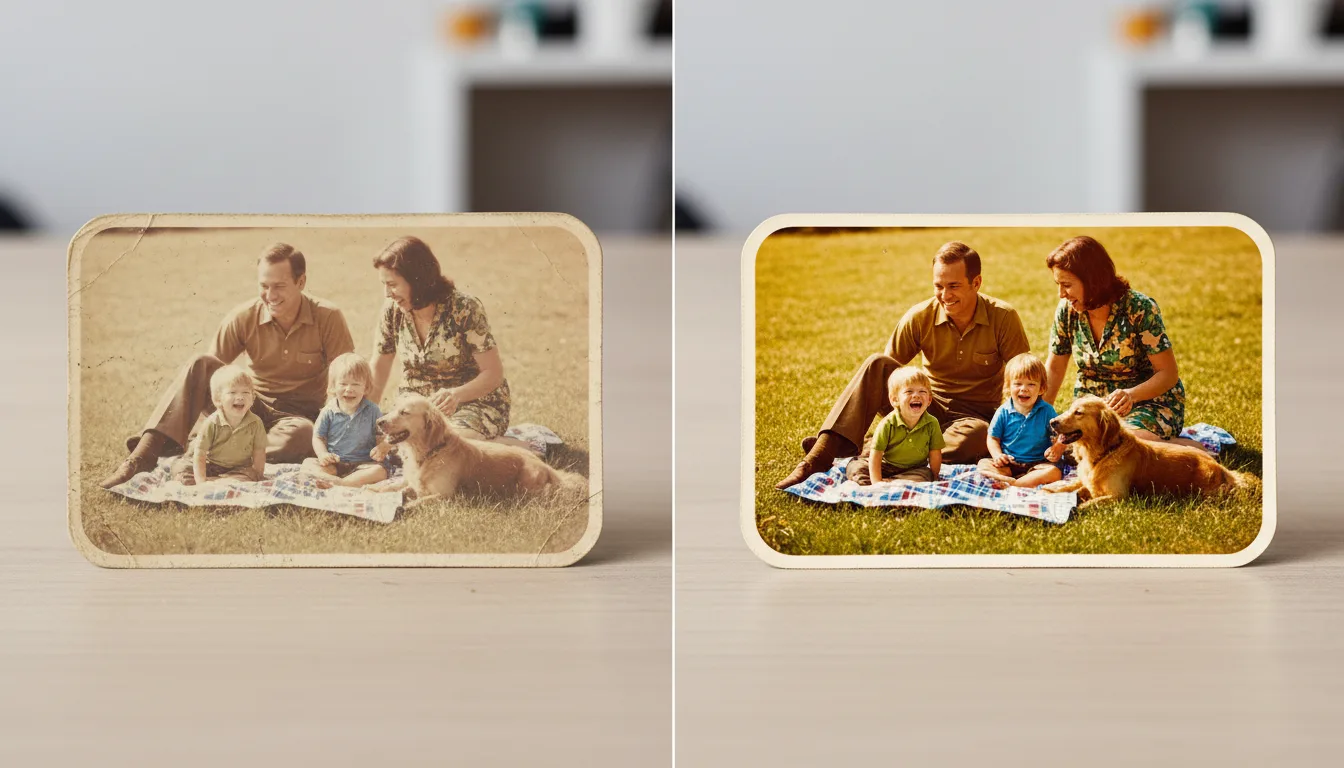
Whether a photo faded on a sunny wall or in a damp drawer, the fix is the same: expand its tonal range back out and correct the color cast. AI does this automatically and naturally.
What “faded” actually means
A faded photo hasn’t lost its picture — it has lost its range. The brightest and darkest tones have drifted toward a flat, pale middle, and the color dyes have weakened, often unevenly, leaving a yellow or magenta cast. Fixing it means pushing that narrow range back out and correcting the color.
How to fix it
- Scan cleanly so you’re working from a good copy — see how to scan old photos.
- Rebuild contrast by restoring deep shadows and clean highlights.
- Neutralize the color cast (usually yellow/orange in old prints).
- Recover color saturation to natural — not neon — levels.
With FotoRipple, all of this happens automatically: upload the faded photo to fix faded photos and it rebuilds tone and color in one pass.
Faded color vs. black and white
If your photo is a faded color print, restoration enriches the color that’s still there. If it’s true black and white, there’s no color to recover — you’d colorize it to add color from scratch. Many old prints benefit from both a restore and a colorize.
Then take it further
A revived photo is a great candidate to animate — seeing a once-faded face move is unforgettable.