
Photo restoration
Restore old photos online
Bring faded, cracked, and water-stained family photos back to life in seconds. FotoRipple repairs the damage while keeping every face exactly as you remember it — then lets you colorize and even animate the result.
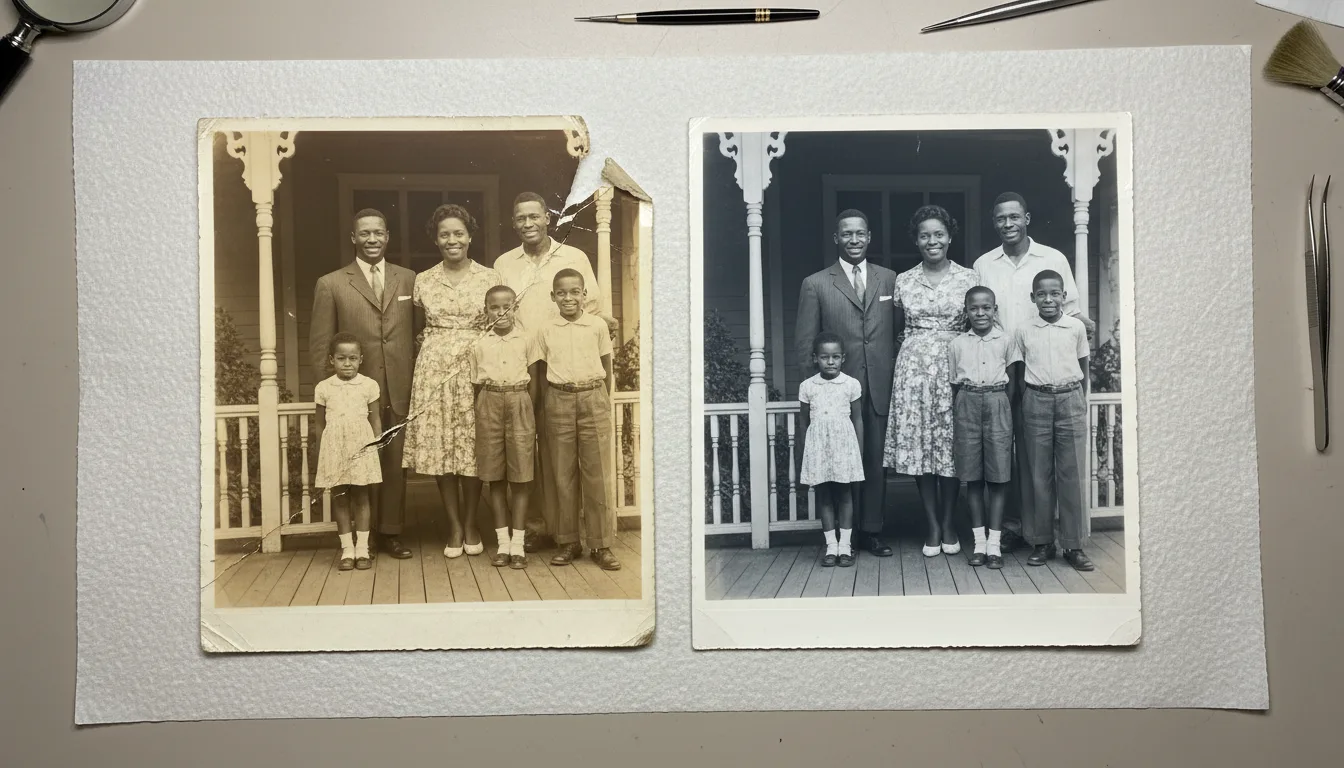
Old photographs fade, crack, and yellow with every passing year. FotoRipple uses AI trained to undo that damage — removing scratches, rebuilding torn edges, and recovering lost detail — without changing who your loved ones were. Restoration is free. Pick the kind of damage you're dealing with below.
Why old photos deteriorate — and what can be recovered
Every printed photograph is a chemical object. Dyes fade when they meet light, paper yellows as it ages, and moisture leaves stains and bloom. Handling adds fingerprints, creases, and tears. None of this means the memory is lost — most of the original information is still there, just buried under decades of damage.
FotoRipple’s AI has learned from millions of before-and-after restorations what an undamaged version of a photo tends to look like. It uses that to rebuild missing detail, even out fading, and remove surface damage — while leaving the genuine content of the photo untouched.
The FotoRipple approach: restore, colorize, animate
Most tools stop at a cleaned-up still image. FotoRipple treats restoration as the first step in a three-stage journey:
- Restore — repair the physical damage: scratches, tears, fading, stains.
- Colorize — add natural, historically plausible color to black-and-white or faded prints.
- Animate — add gentle, respectful motion so a still portrait becomes a short living video.
You can stop at any stage. Many people restore a photo for printing; others go all the way to a moving video gift for a parent or grandparent.
Repair the damage, keep the person
Our restoration is tuned to preserve identity. We fix scratches and fading — we never restyle faces, slim jaws, or 'beautify' the people you love. If a result doesn't look like them, redo it free.
Works from a phone photo
No scanner needed. Snap a clear photo of the print with your phone, upload it, and FotoRipple handles the rest. Prefer a scanner? Our scanning guides show you how to get the best source image.
Restore, then bring it to life
Restoration is just the start. Once your photo is repaired and colorized, you can animate it into a gentle moving video — the perfect keepsake or gift.
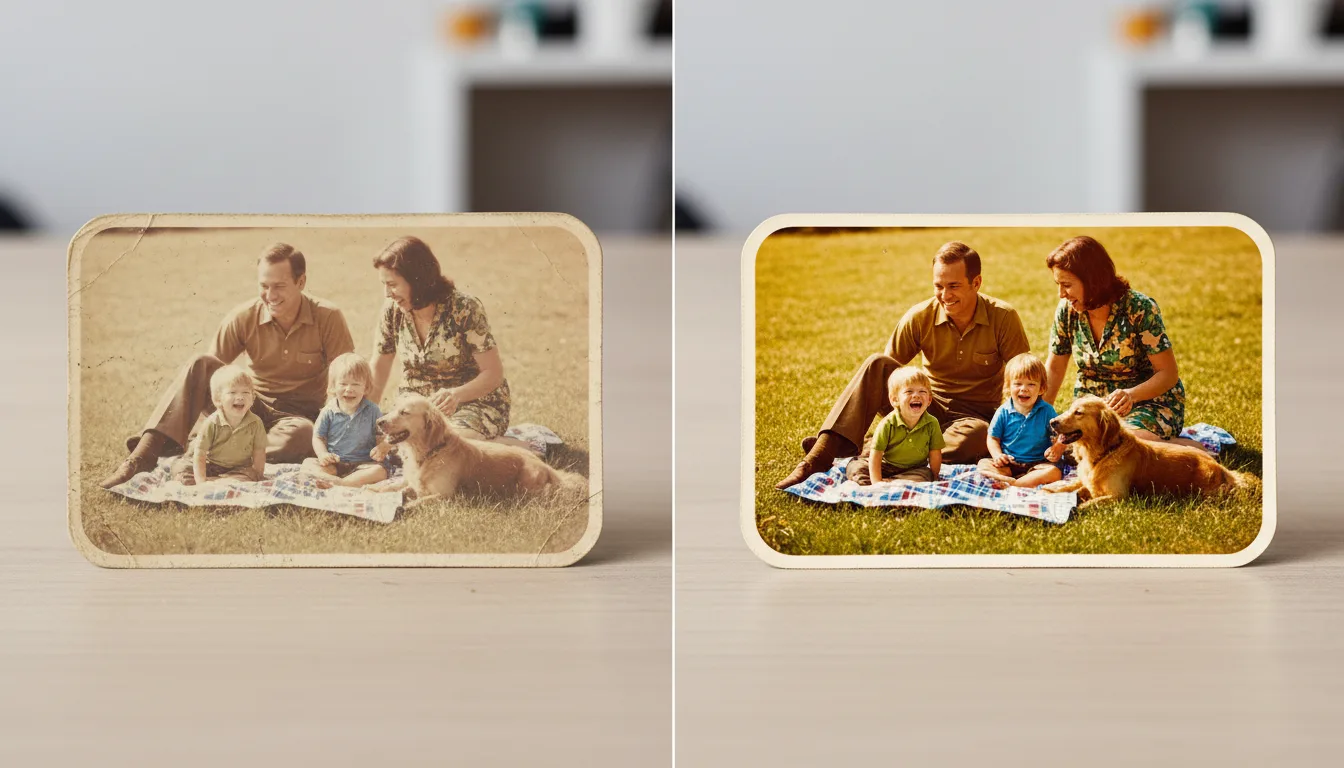
Example: one print, three outcomes
Take a single 1968 print: creased corner, yellow cast, slight blur. Restored (free), it's clean enough to reprint and frame. Colorized (free), it becomes the version relatives ask to have sent to them. Animated, it becomes ten seconds of your mother laughing on a porch half a century ago. Same shoebox photo, three different keepsakes.
A hypothetical illustration of the workflow.
Tips for the best result
- Start with your most damaged treasure — restoration is free, so there's nothing to lose by trying the hard case first.
- Photograph or scan prints in soft, even light; glare is the enemy. See scanning old photos.
- Restore before you colorize or animate — each later step builds on the repaired image.
- Not sure what kind of damage you have? Upload it anyway; the type pages here are guidance, not requirements.