Guide · Compare
The best way to upscale old photos
Small old prints and low-resolution scans can't print large — unless you upscale them the right way. Here's how AI upscaling beats old-fashioned enlargement, and how to get a crisp result.
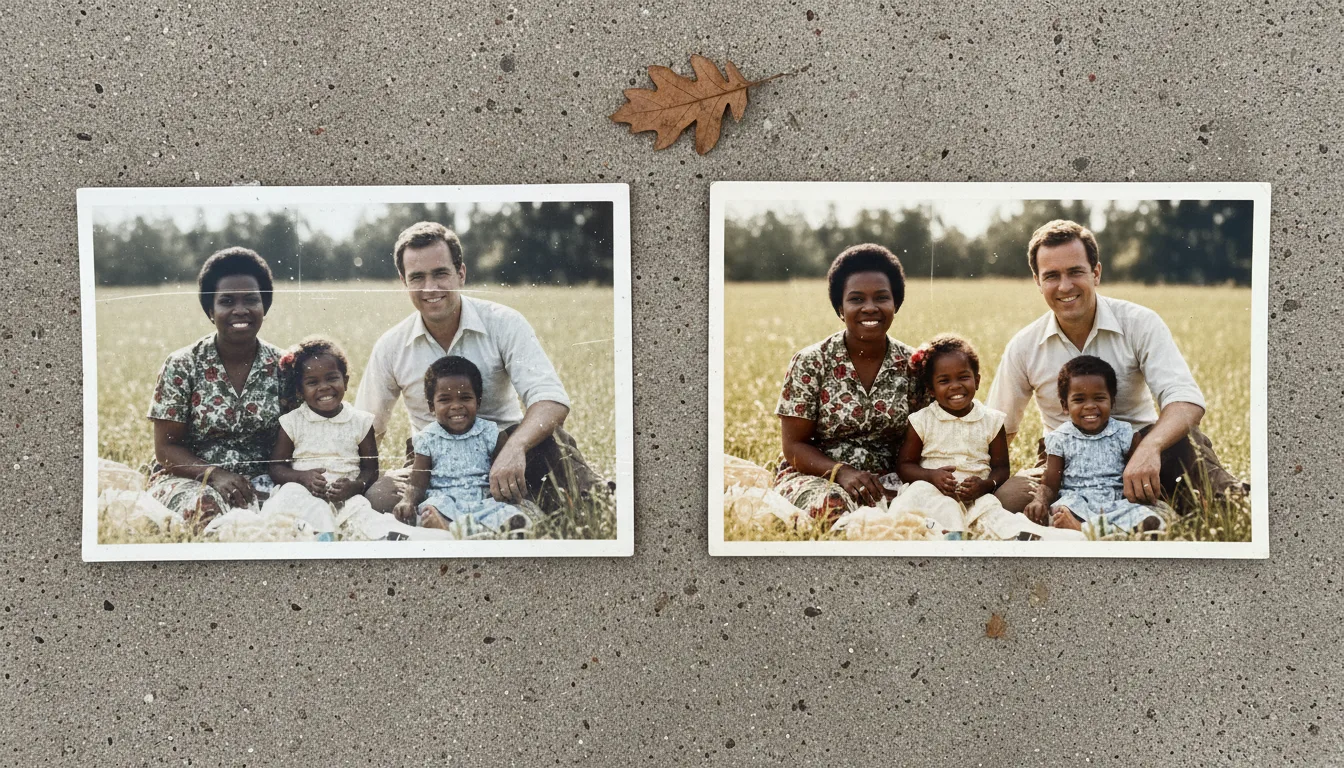
Stretching a small photo just makes a bigger blur. AI upscaling rebuilds the detail a higher-resolution version would have — the key to enlarging old photos without losing sharpness.
Why ordinary enlarging fails
Resizing a small image just spreads its existing pixels over a larger area. There’s no new detail, so you get a bigger, softer, blockier version of the same photo. That’s why an old wallet-sized print looks terrible blown up the traditional way.
Why AI upscaling works
AI upscaling reconstructs the detail a higher-resolution photo would contain — sharpening edges and rebuilding texture based on what similar images look like. The result stays crisp even at large sizes, so a small scan can become a frame-worthy print.
The best workflow for old photos
- Scan at the highest sensible resolution.
- Restore damage and fading.
- Fix blur if the photo is soft.
- Upscale to reach print resolution.
Doing it in this order means you’re enlarging a clean, sharp image, which gives the crispest possible large print. For an all-round clarity boost first, the AI photo enhancer helps.
Then keep going
An upscaled, restored photo is ready to colorize and animate — a high-resolution living keepsake from a once-tiny snapshot.