
Guide · Restoration
How to fix water-damaged photos
Water damage looks devastating, but the image usually survives beneath the stains. Here's how to dry prints safely and then remove tide lines, blooms, and discoloration.
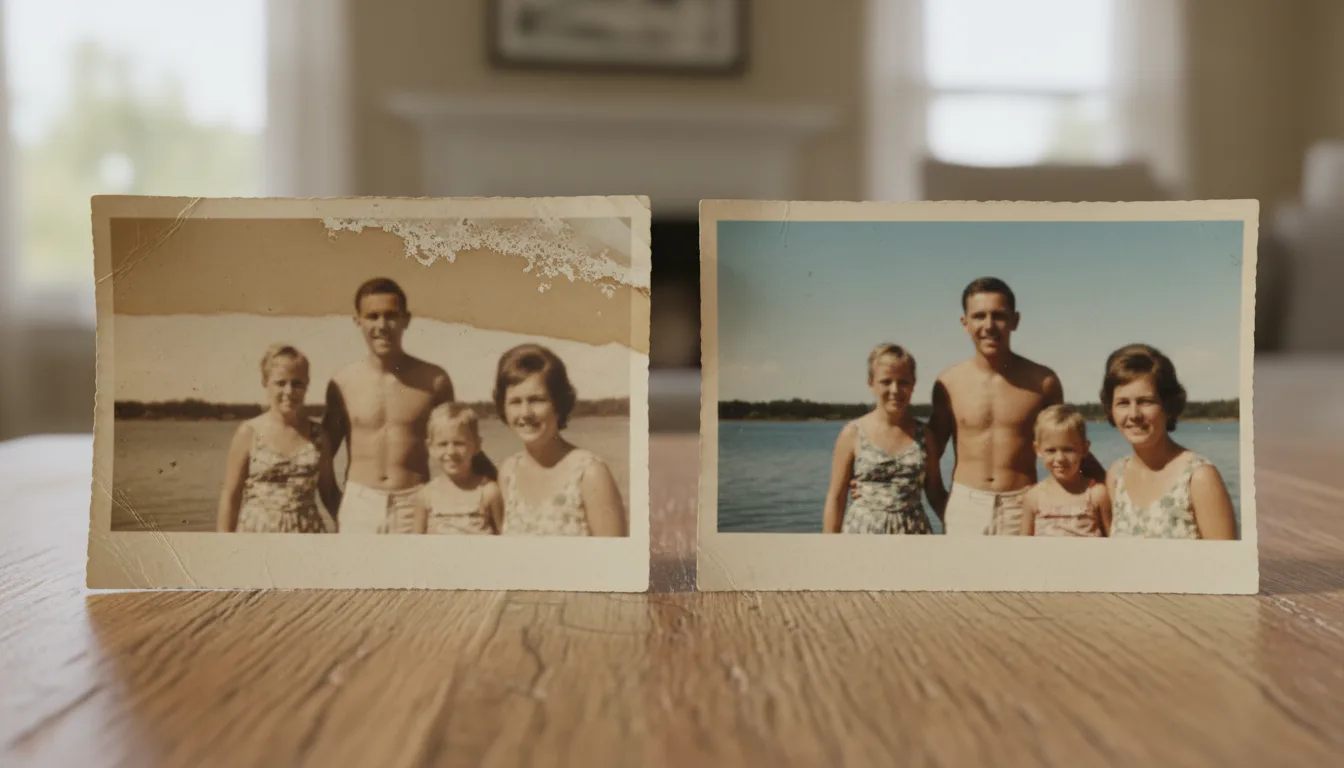
There are two stages to rescuing water-damaged photos: physically saving the print, then digitally removing the marks water left behind. Do the first carefully and the second is easy.
Stage 1 — Save the physical print
If your photos are still wet:
- Handle by the edges and rinse off dirt in a bowl of clean, cool water.
- Air-dry face-up on absorbent paper, in a cool spot out of direct sunlight. A gentle fan helps.
- Never rub the surface — wet emulsion is fragile.
- Don’t force stuck photos apart. If prints are stuck together or to glass, let a professional conservator separate them; forcing them tears the image.
Stage 2 — Remove the marks digitally
Once dry, scan the print and upload it to water-damaged photo restoration. FotoRipple lifts:
- Brown tide lines where water dried
- Cloudy blooming where emulsion lifted
- Color shifts where dyes ran
…and rebuilds the image underneath for a clean result.
Stage 3 — Prevent it happening again
The best protection is a digital backup. Digitize your photos, then store both prints and files safely — our guide to preserving family photos covers cool, dry storage and reliable backups.
Frequently asked questions
My photos are wet right now — what should I do?
Act gently. Rinse off mud in clean water, then air-dry face-up on a paper towel, out of direct sun. Never rub the surface. Don't force stuck photos apart — a conservator should separate badly stuck prints.
Can water stains really be removed?
Yes. Once the print is dry and digitized, AI treats stains, tide lines, and blooming as damage layered over the image and removes it, rebuilding the areas underneath.
Some areas are completely gone — can those be recovered?
Where the emulsion is fully lost, the detail can't be invented accurately. But partial damage restores very well, and FotoRipple recovers everything that remains.