
Guide · Restoration
How to remove scratches from photos
Scratch lines, dust spots, and creases are the most common damage on old prints — and among the easiest to fix. Here's how AI clears them without smearing detail.
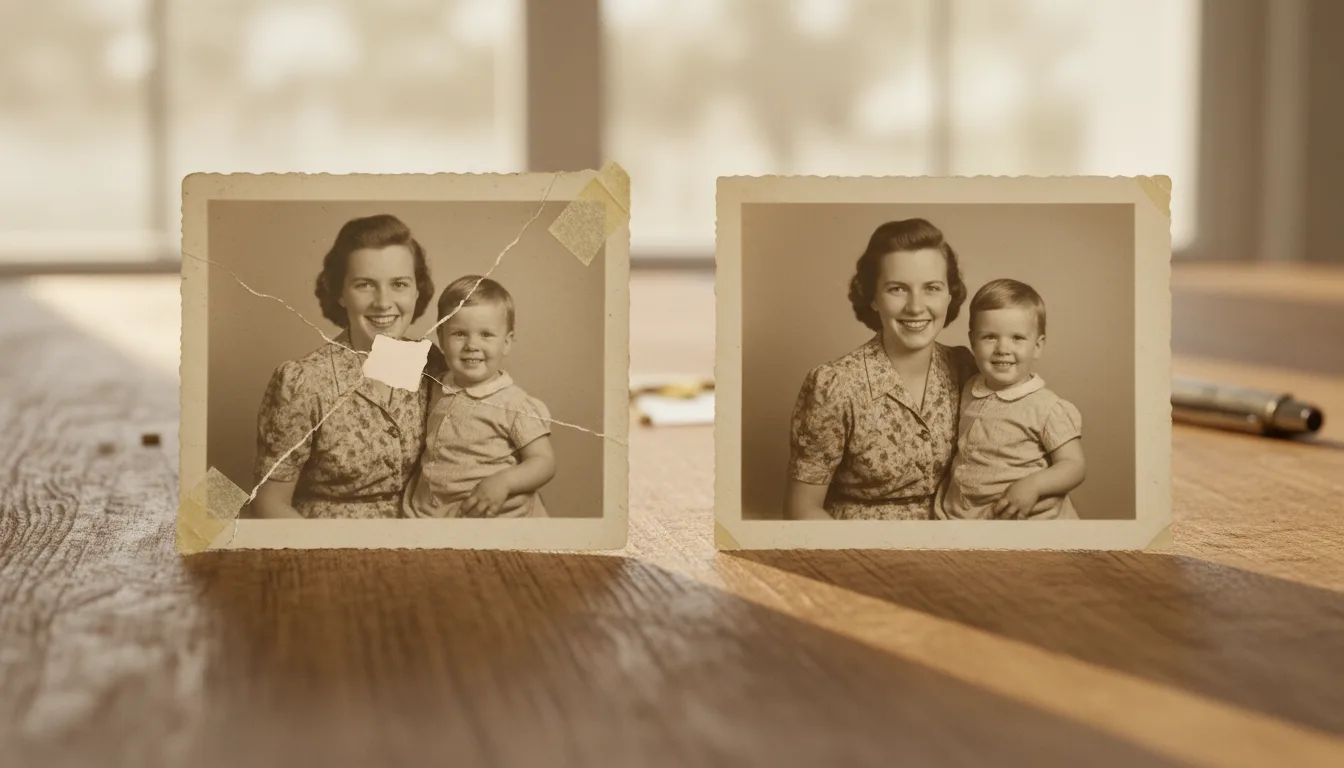
A scratch removes a thin line of image; dust and specks remove tiny dots. Good repair fills each one using the surrounding texture, so nothing looks patched or blurred.
Why scratches are so fixable
A scratch is a thin line of missing image — but the picture on either side is intact, which gives AI plenty of context to rebuild what the scratch removed. Dust and specks are even smaller, so they clear almost invisibly.
How to remove them
- Scan or photograph the print cleanly, using side light to avoid adding new reflections — see how to scan old photos.
- Upload to restore damaged photos. FotoRipple detects scratch lines, dust, and creases and fills them using the surrounding texture.
- Review faces closely. Damage across a face is the most delicate; FotoRipple preserves real features rather than inventing them.
The difference between smudging and rebuilding
Old-fashioned scratch removal cloned or blurred nearby pixels, leaving soft, smeared patches. AI restoration reconstructs the actual texture — the weave of a coat, the grain of skin, the line of a horizon — so repairs stay crisp and believable.
Finish the job
After clearing scratches, correct any fading, then colorize and animate if you’d like to take the photo further.