
Animate · Black & white
Animate black and white photos
A black-and-white photo is two steps from feeling present: color, then motion. FotoRipple does both — colorization free, animation gentle — and a face from 1948 quietly comes back.
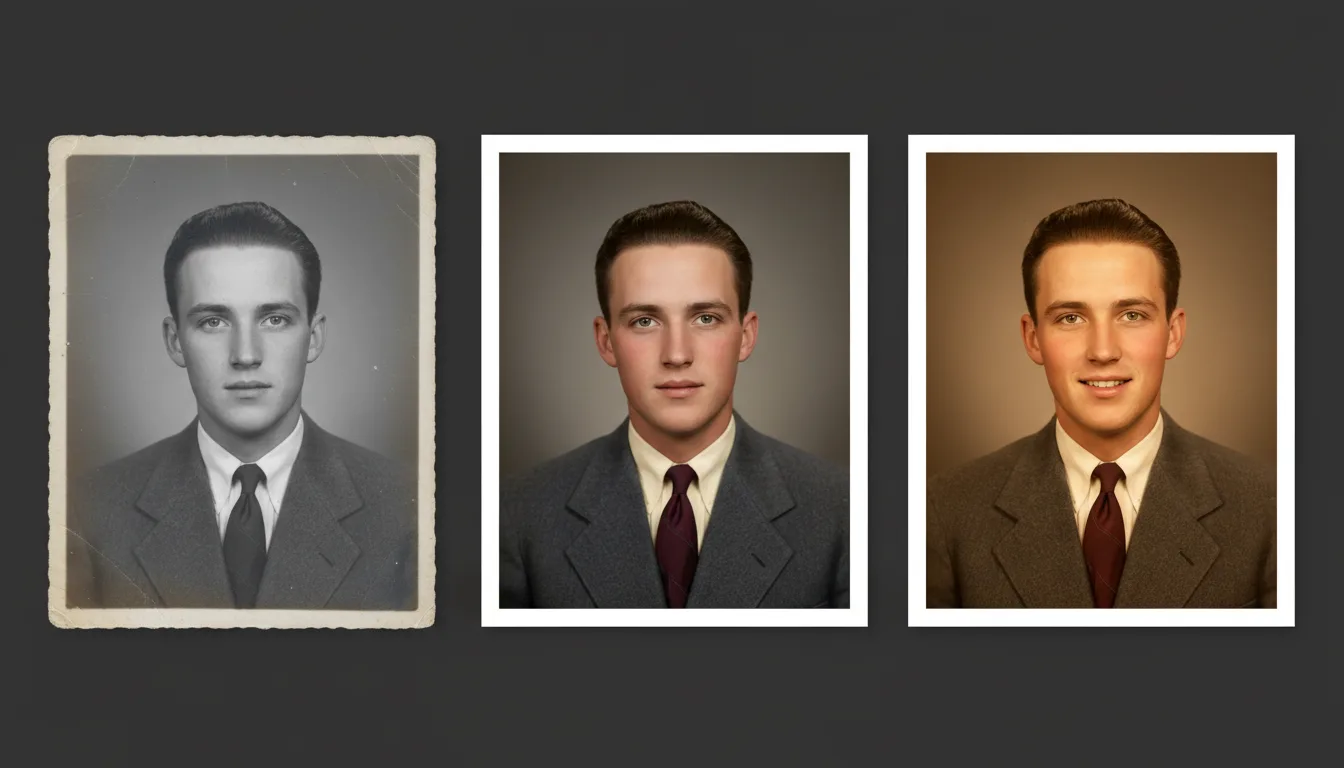
Black-and-white photos feel historic; colorized and animated, they feel like people. That double transformation is the most dramatic change FotoRipple can make to a photograph.
Two transformations, one workflow
Most tools make you choose: a colorizer here, an animator there, a restoration app in between — with quality lost at every hand-off. FotoRipple runs the whole chain on the original scan: restore → colorize → animate, in one place, with the paid step only at the end.
That order matters. Restoration recovers the contrast and detail that colorization needs; colorization supplies the skin tones and depth that make motion believable. Skipping straight to animation on a faded monochrome print is the most common reason results disappoint.
When to keep the black and white
Not every photo wants color. Formal portraits, wartime photographs, and images tied to solemn memories often carry more weight in monochrome — and FotoRipple will animate them exactly as they are. A good rule: colorize photos of life (parties, beaches, kitchens), consider monochrome for photos of occasion. You can preview the colorized version free before deciding.
How it works
- 1Upload the black-and-white photo. A scan or a clear phone photo of the print works.
- 2Restore free. Fading, spots, and creases are repaired before anything else.
- 3Colorize free. Skin tones, clothing, and background get natural, period-plausible color — or skip this and animate in monochrome.
- 4Animate. Subtle motion brings the portrait to life; regenerate until it feels right, then add music.
Color you can believe
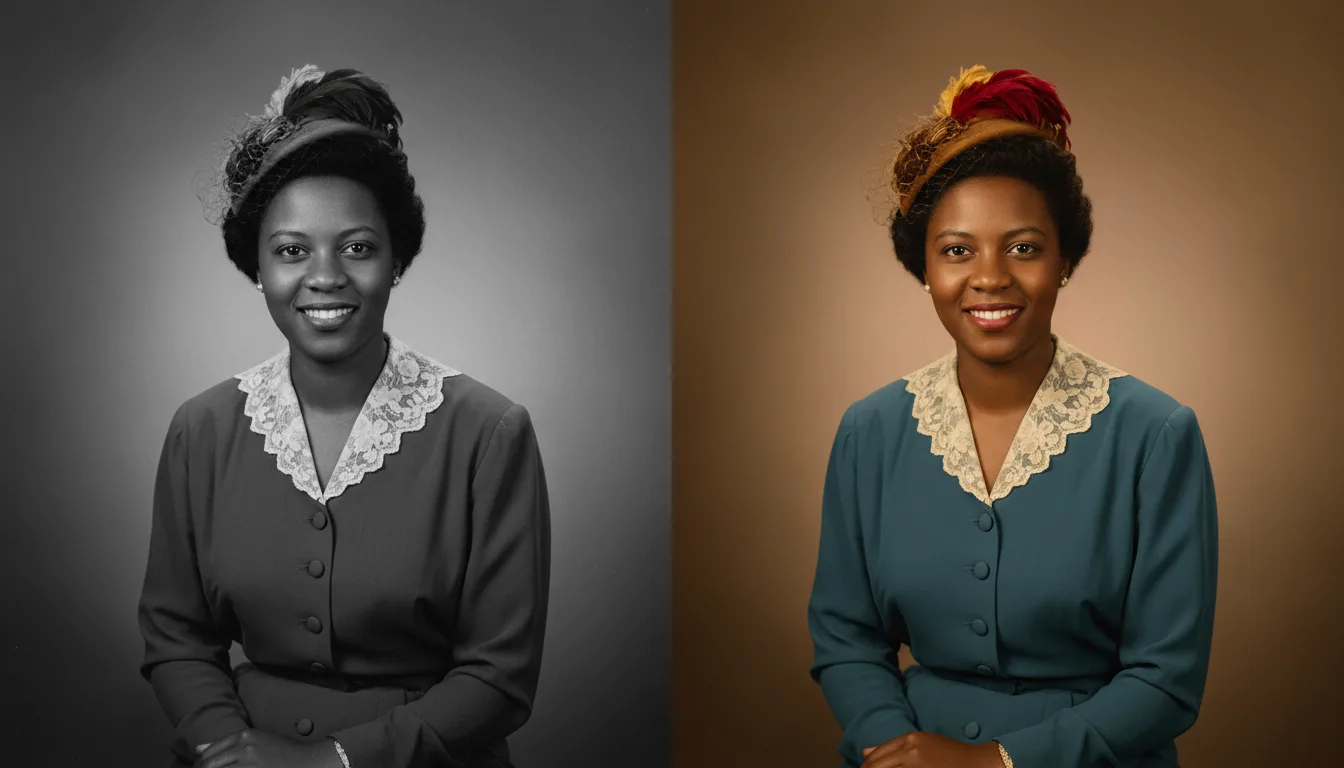
Colorization aims for plausible, natural tones — not hand-tinted pastels or oversaturated guesses.
Monochrome motion is an option
Prefer the dignity of black and white? Animate without colorizing — moving monochrome has its own quiet power.
Built for old originals
Pre-war prints, 1950s studio portraits, 1960s snapshots — restoration handles the age so animation can handle the life.
Example: the only photo of a great-grandfather
Say your family has exactly one photograph of your great-grandfather — a stern 1930s black-and-white portrait, slightly faded. Restored, it sharpens. Colorized, his eyes turn out to be blue, like your son's. Animated, he takes a breath and almost smiles. For a relative no living person has met, that ninety seconds changes what "great-grandfather" means.
Hypothetical scenario — for real customer reactions, see reviews.
Tips for the best result
- Colorize before animating — color gives the motion far more presence. Both steps are free.
- Very dark or very faded monochrome prints benefit from restoration first; contrast is what the animation reads.
- Formal studio portraits animate beautifully: the face is large, lit, and front-on.
- If the colorized version feels wrong for a solemn photo, animate the monochrome original instead — it's a taste decision, not a technical one.
- Group shots work, but the smaller each face, the subtler the visible motion.