
Guide · Compare
Best photo restoration apps in 2026
Every week brings another AI photo restorer. Instead of a ranking that's out of date by next month, here are the qualities that actually make a restoration app worth your photos.
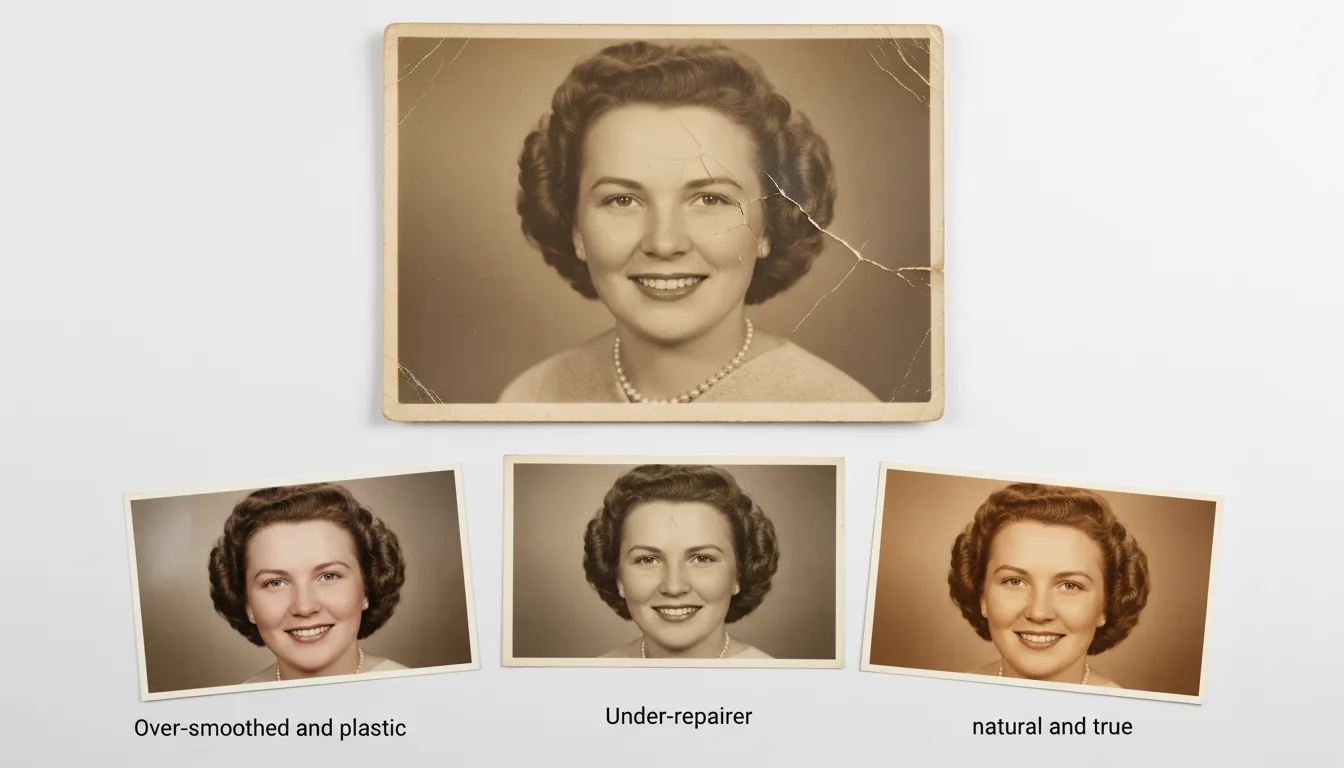
The best photo restoration app is the one that revives your photos naturally, keeps your resolution and privacy, and doesn't lock the result behind a watermark. Here's how to judge.
The checklist that matters
When you compare photo restoration apps, score each on:
- Natural results. Damage should vanish without the photo looking plastic or over-smoothed.
- Identity preservation. This is the big one: a restored face must look like your relative, not a generic “beautified” AI face. It’s the core of FotoRipple’s approach.
- Full resolution, no watermark. Your restored photo should be yours to print and keep.
- Privacy. Family photos are personal; check how uploads are stored and deleted — see our privacy policy.
- Range of damage handled. Fading, scratches, tears, and water damage should all be covered.
- Fair pricing. Pay-as-you-go beats a subscription for an occasional project.
Why all-in-one wins
Restoration is usually step one. You’ll often want to colorize and animate afterward. A tool that does all three keeps quality consistent and saves exporting between apps — one reason FotoRipple combines them.
The only real test
Try it on your photo. Restore your first one free and judge the naturalness, resolution, and how faithfully it keeps the people you love. Compare tools for the next steps in best photo colorizers and best photo animation apps.
Tips for the best result
- Bring your own worst photo to every trial — a tool is only as good as its performance on your actual damage.
- Zoom to 100% on faces when comparing; over-smoothing hides there.
- Compare total cost across your whole archive, not per photo — see what restoration costs.
- Verify the free tier keeps full resolution without a watermark before investing time.